The One Document That Actually Forces a Profile Reinstatement
The One Document That Actually Forces a Profile Reinstatement (and Why Your Appeals Keep Failing)
It starts with a notification that feels like a physical punch to the gut: “Your Business Profile has been suspended.” For a plumber, a lawyer, or a local contractor, that single email represents the sudden evaporation of 70% to 90% of your lead flow. Since 2011, I have been in the trenches of Google Business Profile (GBP) management, specializing in the dark art of reinstatement. I’ve seen every “expert” advice under the sun, and I’ve watched thousands of business owners fail their appeals because they approach Google with “fluff” documents like tax IDs or general business licenses.
Google doesn’t care about your lost revenue, and they certainly don’t care about your “feelings.” They care about verifiable, high-integrity data. After 13+ years as a consultant, I’ve identified the “Silver Bullet” – the one specific document that acts as a forcing function for Google’s manual review team to hit the “Reinstated” button. In this guide, I’m going to strip away the mystery and show you exactly what that document is and how to use it. If you’ve already failed your first three appeals, pay attention. This is Why Google Suspended Your Profile and the Direct Move to Fix It.
The 2026 Suspension Landscape: Why AI Filters are Triggering “Hard” Suspensions
We are currently operating in a landscape where Google’s algorithm is more aggressive than it has ever been. In 2026, Google is suspending over a million businesses regularly. Why? Because the reliance on AI-driven filters has created a “shoot first, ask questions later” environment. These AI filters are now specifically tuned to flag profiles for what we call “latency errors” or “proximity signal errors.”
A “latency error” occurs when Google’s spiders detect a mismatch between your profile data and the data held by third-party aggregators or government databases that hasn’t been updated in real-time. If your address changed six months ago on your website but your Secretary of State filing still shows the old one, the AI triggers a suspension for “deceptive content.” It’s a generic “no reason” suspension that leaves you guessing. Most of these “hard” suspensions are actually triggered by mismatched data across the web, creating a lack of trust in the AI’s confidence score for your business. To navigate this, you need a sophisticated approach to google business profile seo to ensure your digital footprint is bulletproof.
Furthermore, the 2026 algorithm prioritizes “Search Latency Errors,” which can lead to your profile being “ghosted” – meaning it’s technically active but invisible in the 3-pack – even after a successful reinstatement. Understanding these technical nuances is the difference between a business that thrives and one that goes under. If you want to stay ahead of these shifts, you must understand How to Bypass 2026 AI Filters for a Fast 3-Pack Ranking.
The “Silver Bullet” Document: The Official Utility Bill
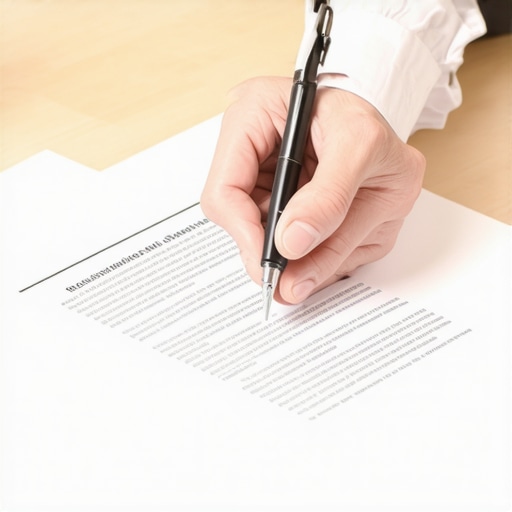
If you take nothing else from this post, remember this: The **Official Utility Bill (Electricity, Water, or Gas)** is the only document that truly matters in a high-stakes reinstatement case. I call this the “Silver Bullet” because it is the hardest document to forge and the most reliable proof of physical occupancy.
Why does Google prioritize a utility bill over a business license or a lease agreement? A lease can be typed up in Word in five minutes. A business license proves you paid the city a fee, but it doesn’t prove you are actually operating at the address listed. A utility bill, however, proves a financial relationship with a regulated utility provider at a specific geographic coordinate. It is the ultimate evidence of a “bricks and mortar” presence.
The “Perfect” Bill Checklist
Google’s manual reviewers spend approximately 30 seconds looking at your appeal. If your document doesn’t meet these four criteria, they will reject it without a second thought:
- Business Name must match the GBP exactly: If your profile says “Main St. Plumbing” but your bill says “Main Street Plumbing, LLC,” you are giving the reviewer a reason to say no. Ensure the character-for-character match is 100%.
- Address must match the GBP exactly: This includes the “Suite,” “Unit,” or “Floor.” If your Google profile omits the suite number but your bill includes it, fix the profile *before* you submit the appeal. This is a common reason Why Your Physical Address and Website Schema Might be Sending Mixed Signals to Google.
- Must be dated within the last 30-60 days: An old bill is useless. It doesn’t prove you are there *now*.
- Must be a high-resolution PDF: Do not take a blurry photo of a crumpled piece of paper with your phone. Download the original digital PDF from your utility provider’s portal. The metadata in a native PDF provides extra trust signals to Google’s systems.
As I’ve said since 2011: “Since 2011, I’ve seen that Google doesn’t care about your ‘feelings’ or ‘lost revenue’; they care about verifiable proof of a physical storefront.” If you cannot provide this, your chances of reinstatement drop by 80%.
The Supporting Evidence: Signage and Team Photos
While the utility bill is the “force” that drives the reinstatement, you need “reinforcements” to make your case undeniable. Google’s reviewers are trained to look for “permanent” signals. This is where most Service Area Businesses (SABs) and hybrid businesses fail. If you have a physical office, you must prove it isn’t a virtual office or a co-working space (which are generally against TOS for most categories).
Permanent Signage: A vinyl banner hung with zip ties is not permanent signage. Google wants to see a sign that is etched into the glass, bolted to the building, or part of the physical monument of the office park. Take a photo from the street showing the building number and your signage in the same frame. This provides the “proximity signal” that the AI filters crave. For those struggling with visibility, a professional google maps ranking service can help align these physical signals with your digital presence.
Team Photos: This is a highly underrated trust signal. Submit photos of your branded vehicles parked in front of the office or your team standing in the lobby. This humanizes the business and proves to the reviewer that this is a legitimate operation with employees, not a lead-gen “ghost” site. I go into detail on this in my guide on How Verifying Your Team Photos Creates a Reliable Trust Signal for Google Maps.
The Step-by-Step Reinstatement Workflow (Professor M’s Method)
Do not rush to the appeal tool. The moment you click “submit” on an appeal, you are locked into a process that can take weeks. If you submit an appeal while your profile still violates guidelines, you will be denied, and your second attempt will be scrutinized ten times harder. Follow this workflow:
- Audit the Profile for Guideline Violations: Check your business name for keyword stuffing (e.g., “Best Plumber London – Emergency 24/7”). If it doesn’t match your legal name, change it. Check your categories; having too many irrelevant categories is a major red flag.
- Clean up the “NAP” (Name, Address, Phone) across the web: Use local seo tools to scan the web for mentions of your business. If your old address is still on Yelp or Facebook, fix it. Google’s AI cross-references these sites during the manual review.
- Gather the “Silver Bullet” Document: Get that high-resolution utility bill PDF. Ensure it matches your newly audited profile exactly.
- Submit the Appeal via the Official Tool: Use the Google Business Profile Management Tool. Be concise in your explanation. “Please see the attached utility bill and photos confirming our physical location at [Address]. We have audited our profile to ensure full compliance with Google’s guidelines.”
- What to do if the first appeal is denied: Do not just resubmit the same thing. You need to escalate. This usually involves providing even more evidence, such as a video walk-through of the office starting from the street and moving into the interior, showing the staff at work. For a comprehensive list of tasks, refer to The Step-by-Step Checklist to Get Your Business Profile Back After a Suspension.
Life After Reinstatement: Reclaiming Your 3-Pack Position
Getting your profile back is a victory, but it’s often a hollow one at first. Most businesses find that once they are reinstated, their rankings have plummeted. You might have been #1 for “Personal Injury Lawyer” before the suspension, and now you’re on page 5. This is because the suspension “breaks” the velocity of your ranking signals.
To get back into the 3-pack, you need to “re-signal” to Google that you are active and relevant. This requires a concentrated effort on google business profile optimization. You need new reviews, new photo uploads, and consistent GBP posts. More importantly, you need to track your recovery. Using a google maps rank tracker is essential during this phase to see which keywords are recovering and which ones need more local link-building or citation work.
The goal is to show the algorithm that the “latency” has been resolved and that your business is the most prominent and trustworthy option for local users. You can find more tactical advice on this transition in our deep dive: How to Reclaim Your Map Position After a Sharp Drop in Local Visibility.
Conclusion & Call to Action
A Google Business Profile suspension is not a death sentence, but it is a test of your documentation and your patience. If you stop sending “fluff” and start sending the “Silver Bullet” utility bill, you are speaking the only language that Google’s manual review team understands. Remember, the goal is to provide undeniable proof that your business is a real, physical entity serving real customers.
Don’t gamble with your livelihood. If you’ve tried and failed, or if you’re too afraid to make a mistake that could lead to a permanent ban, contact Professor M for a professional reinstatement audit. Alternatively, use SEO Viper Tools to monitor your recovery and ensure you never fall off the map again. Your business deserves to be seen – let’s get you back where you belong.